What Is Intake and Orchestration?
The Complete Guide for Procurement Teams
If you've worked in Procurement or Finance, you know the chaos. A manager sends a Slack message asking to bring on a new supplier. An email thread with six people debating software purchases. A spreadsheet that's supposed to track requests but hasn't been updated in three weeks. This is the reality of procurement intake at most organizations. Requests come from everywhere, follow inconsistent paths, and often slip through the cracks. By the time Procurement gets involved, commitments have already been made—and the opportunity to negotiate, consolidate, or redirect has passed. Intake and orchestration solves this problem. It's not just a buzzword—it's a fundamental shift in how organizations capture, route, and manage procurement requests. Done right, it becomes the single front door for every procurement need, from a quick purchase to a multi-million dollar sourcing event. This guide explains what intake and orchestration actually means, why it matters, how it works, and what to look for when evaluating solutions.
What Is Intake and Orchestration?
Intake and orchestration refers to the process of capturing procurement requests from across an organization and intelligently routing them through appropriate workflows, approvals, and downstream processes.
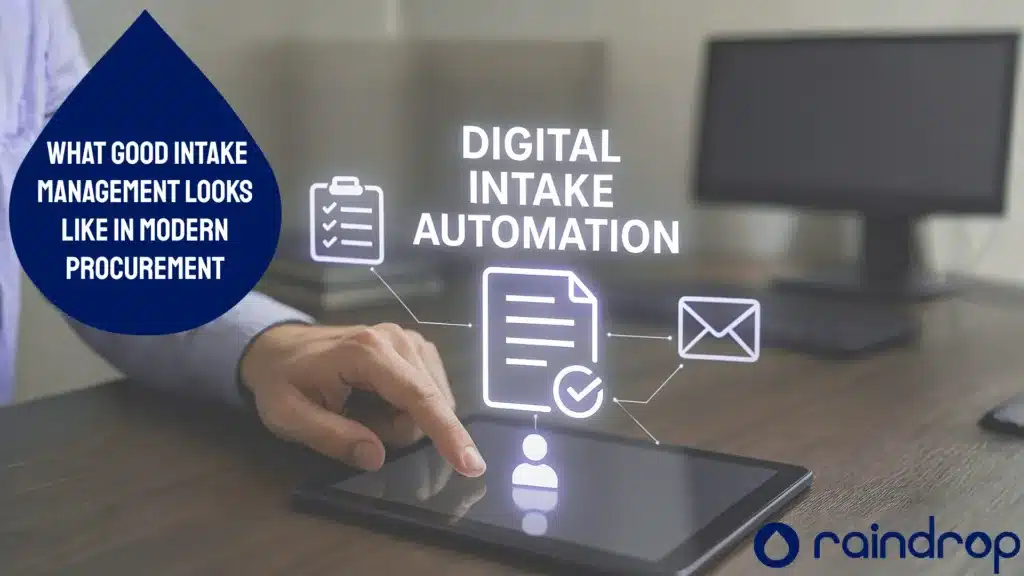
Think of it as the “digital front door” for Procurement. Instead of requests arriving via email, Slack, spreadsheets, or hallway conversations, they all flow through a single, structured intake point. From there, orchestration logic determines what happens next: Does this need Procurement review? Legal sign-off? Budget approval? An RFX event sourcing event? Direct purchase?
The “orchestration” part is key. It’s not just about collecting requests—it’s about automatically connecting them to the right people, policies, and processes, and systems, based on what the request actually is.
The Three Core Functions
- Capture: Requests enter through structured forms, AI assistants, or integrations with existing tools (Slack, Teams, email, or legacy systems that generate requests). The system captures all relevant information upfront—what’s being requested, who’s requesting it, budget codes, timelines, and business justification.
- Categorize and Route: Based on the request type, value, category, and business rules, the system automatically determines the appropriate workflow. A $500 software purchase might go straight to a manager. A $50,000 professional services contract might require Procurement review, Legal approval, and budget validation.
- Orchestrate: The request moves through its workflow, triggering the right actions at each step. This might include compliance checks, risk assessments, supplier lookups, contract reviews, or handoffs to sourcing teams and even other systems. Every step is tracked, auditable, and visible to stakeholders.
Why Traditional Intake Is Broken
The Symptoms
- Email overload: Procurement teams spend hours sorting through requests buried in inboxes
- Inconsistent information: Each request comes with different levels of detail, requiring back-and-forth to get basics
- Approval chaos: Nobody knows who needs to approve what, or whether approvals have already happened
- Invisible demand: Leadership can’t see what’s coming, making it impossible to consolidate spend or plan resources
- Maverick spend: By the time procurement gets involved, contracts are already signed and prices are locked
- Compliance gaps: Requests skip required reviews, creating audit risks and policy violations
The Cost
The numbers are significant. Organizations typically find that:
- 30–40% of Procurement team time goes to triaging and routing requests manually
- 20–30% of spend happens outside of procurement visibility (maverick spend)
- Cycle times for request-to-approval stretch from days to weeks due to unclear routing
- Compliance issues emerge when required reviews are skipped or documentation is incomplete
The problem isn’t that people don’t want to follow the process. It’s that the process is invisible, inconsistent, and frustrating. When it’s easier to go around procurement than through it, that’s exactly what happens.
How Modern Intake and Orchestration Works
Step 1: Request Capture
Requests can enter through multiple channels:
- Intake forms: Configurable forms that capture the right information for each request type
- AI assistants: Natural language interfaces where users describe what they need, and AI asks clarifying questions
- Integrations: Requests initiated from Slack, Teams, email, or existing tools and legacy systems
- Self-service catalogs: Pre-approved items or suppliers that can be requested with minimal friction
The key is making request submission as easy as possible while capturing the information needed for intelligent routing. Modern platforms use conditional logic to ask only relevant questions—a simple supply order doesn’t need the same level of detail as a new strategic supplier.
Step 2: Intelligent Categorization
Once a request is submitted, the system categorizes it automatically:
- Request type: Purchase, supplier onboarding, contract renewal, sourcing event, etc.
- Category: Software, professional services, marketing, facilities, etc.
- Value threshold: Determines approval requirements
- Risk level: Based on supplier type, data sensitivity, or compliance requirements
- Urgency: Standard, expedited, or emergency
AI-powered systems can extract information from uploaded documents, recognize patterns from historical requests, and make categorization decisions that previously required manual review.
Step 3: Policy-Based Routing
With the request categorized, orchestration logic kicks in. This is where business rules meet automation:
- Approval chains: Based on value, category, or department, the right approvers are automatically assigned
- Parallel workflows: Multiple reviews can happen simultaneously (legal, security, finance) instead of sequentially
- Escalation rules: If approvers don’t respond within specified timeframes, requests escalate automatically
- Conditional logic: If a request involves personal data, trigger a security review. If it’s a new supplier, trigger supplier onboarding.
The goal is encoding your policies into the system so compliance happens automatically—not as an afterthought or audit finding.
Step 4: Cross-Functional Orchestration
Procurement requests rarely stay within procurement. Modern intake orchestration connects to:
- Legal: Contract review, NDA execution, risk assessment
- Security/IT: supplier security questionnaires, data handling reviews
- Finance: Budget validation, forecast updates, payment terms
- Supplier management: Onboarding, qualification, performance tracking
- Sourcing: Event creation, bid management, award decisions
- Contracts: Execution, storage, renewal tracking
The orchestration layer ensures handoffs happen seamlessly, data flows between systems, and nothing falls through the cracks.
Step 5: Tracking and Audit Trail
Every action is logged:
- Who submitted the request and when
- What approvals were required, and who provided them
- What reviews were triggered an
- What was the outcome
- How long each step took
- What the final disposition was
This audit trail is essential for compliance, but it’s also valuable for continuous improvement. Where are the bottlenecks? Which request types take the longest? Where do requests stall?
Who Benefits from Intake and Orchestration
Procurement and Sourcing Teams
- Reduced triage time: Stop sorting through emails and spreadsheets
- Earlier visibility: See demand before commitments are made
- Better consolidation: Identify opportunities to bundle similar requests
- Improved compliance: Ensure every request follows the right process
Finance Teams
- Budget visibility: Connect requests to budgets and forecasts in real time
- Spend control: Catch off-process purchases before they happen
- Forecasting: Better predict future obligations based on intake pipeline
- Audit readiness: Complete documentation for every transaction
Business Stakeholders
- Simpler requests: Submit what you need without learning complex systems
- Visibility: Track your request status without chasing Procurement for answers
- Faster turnaround: Clear routing means faster decisions
- Fewer rejections: Get it right the first time with guided intake
IT and Security Teams
- Automatic triggers: Security reviews initiated based on request type
- Supplier risk management: Consistent process for new supplier evaluation
- Integration: Connect intake to existing security and compliance tools
- Visibility: See what suppliers are being considered before contracts are signed
Legal Teams
- Workload management: Only see requests that actually need Legal review
- Standard terms: Push requests to pre-approved contract templates when possible
- Risk visibility: Flag high-risk requests for additional scrutiny
- Audit trail: Complete documentation for every contract decision
What to Look for in an Intake and Orchestration Solution
Not all intake solutions are created equal. Here’s what matters:
1. AI-Native vs. Bolt-On AI
Some platforms add AI as a feature. Others are built on AI from the ground up. The difference matters.
- AI-native platforms use machine learning throughout—for categorization, routing, recommendations, and insights
- Bolt-on AI typically handles one or two functions (like document extraction) but doesn’t learn from your organization’s patterns
Look for platforms where AI improves over time based on your data and decisions.
2. Integration Capabilities
Intake orchestration is only as good as its connections. Evaluate:
- ERP integration: Does it connect to your financial systems?
- Existing procurement tools: Can it work with or replace your current stack?
- Collaboration tools: Slack, Teams, email integration for request submission
- Identity management: SSO and user provisioning
3. No-Code Configuration
Your business rules will change. Your categories will evolve. Your approval chains will shift. Look for:
- Drag-and-drop workflow builders: Configure routing without IT involvement
- Conditional logic: If-then rules that adapt to different scenarios
- Template libraries: Pre-built workflows for common use cases
- Self-service administration: Procurement teams can make changes without supplier support
4. Connection to Downstream Processes
Intake is just the beginning. The best solutions connect intake to:
- Sourcing: Automatically create sourcing events from qualified requests
- Contracts: Route approved requests to contract execution
- Supplier management: Trigger onboarding for new suppliers
- Spend analytics: Connect intake data to spend visibility
5. Time-to-Value
Legacy platforms take months or years to implement. Modern solutions should:
- Deploy in weeks: Individual modules live in 2–4 weeks
- Show ROI quickly: Measurable impact in the first quarter
Require minimal IT lift: Cloud-native architecture with pre-built integration
Intake and Orchestration vs. Procure-to-Pay: What's the Difference?
These terms often get confused. Here’s the distinction:
Intake and Orchestration focuses on the front end of Procurement: requesting new suppliers, capturing requests, routing them appropriately, and ensuring the right process is followed. It’s about what happens before a purchase order is created.
Source-to-Pay (S2P) focuses on the transactional flow: requisitions, purchase orders, receiving, invoicing, and payment. It’s about what happens after a request is approved.
Modern platforms increasingly combine both. The intake orchestration layer captures and routes requests, then hands off to S2P processes for execution. Some platforms (like Raindrop Systems) go further, connecting intake to the full Source-to-Pay lifecycle—including sourcing, contracts, supplier management, and spend analytics.
The key insight: intake orchestration without S2P leaves you with approved requests that still need to be executed elsewhere. S2P without intake orchestration means you’re only seeing requests that made it through manual triage.
Common Mistakes to Avoid
1. Treating Intake as a Form Builder
Creating intake forms is easy. Creating intelligent orchestration is hard. Don’t mistake a pretty form for a real solution. The value is in what happens after the form is submitted.
2. Ignoring Change Management
The best intake system in the world fails if people don’t use it. Plan for:
- Communication: Explain why the new process exists and what’s in it for users
- Training: Show people how to submit requests correctly
- Feedback loops: Listen to what’s working and what isn’t
- Quick wins: Demonstrate value early to build momentum
3. Over-Complicating Workflows
It’s tempting to encode every edge case into your workflows. Resist. Start with the 80% case and iterate. Complex workflows confuse users, slow processing, and make maintenance difficult.
4. Disconnecting Intake from Outcomes
Intake orchestration should connect to what happens next. If approved requests still require manual handoffs to sourcing, contracts, or purchasing, you’ve only solved half the problem.
The Business Case: ROI from Intake Orchestration
1. Treating Intake as a Form Builder
Creating intake forms is easy. Creating intelligent orchestration is hard. Don’t mistake a pretty form for a real solution. The value is in what happens after the form is submitted.
2. Ignoring Change Management
The best intake system in the world fails if people don’t use it. Plan for:
- Communication: Explain why the new process exists and what’s in it for users
- Training: Show people how to submit requests correctly
- Feedback loops: Listen to what’s working and what isn’t
- Quick wins: Demonstrate value early to build momentum
3. Over-Complicating Workflows
It’s tempting to encode every edge case into your workflows. Resist. Start with the 80% case and iterate. Complex workflows confuse users, slow processing, and make maintenance difficult.
4. Disconnecting Intake from Outcomes
Intake orchestration should connect to what happens next. If approved requests still require manual handoffs to sourcing, contracts, or purchasing, you’ve only solved half the problem.
How Raindrop Systems Approaches Intake and Orchestration
Raindrop Systems built intake orchestration as part of a unified Source-to-Pay platform—not as a standalone layer that sits on top of disconnected tools.
Here’s what that means in practice:
The Digital Front Door
Every request flows through a single intake point. Users can submit requests through:
- Rain AI Assistant: Describe what you need in natural language, and Rain asks the right questions
- Configurable forms: Tailored to each request type with conditional logic
- Integrations: Submit requests from Slack, Teams, or email
Visual Orchestration Boards
Drag-and-drop workflow configuration makes it easy to:
- Set up routing rules based on category, value, or department
- Configure parallel approvals across functions
- Build conditional logic for different scenarios
- Monitor requests in real time
Connection to Everything Downstream
Unlike orchestration-only tools, Raindrop Systems connects intake to:
- Sourcing: Qualified requests can automatically trigger sourcing events
- Contracts: Approved requests route to contract execution
- Supplier Management: New supplier requests trigger onboarding workflows
- Spend Analytics: Intake data flows into spend visibility
- Commitment Tracking: See obligations before they become spend
AI-Native Intelligence
AI isn’t a feature—it’s the foundation. Rain AI:
- Categorizes and routes requests automatically
- Extracts information from uploaded documents
- Recommends actions based on historical patterns
- Learns from your organization’s decisions over time
Speed to Value
Most customers see measurable impact within their first quarter:
- Modules deploy in 2–4 weeks
- Full Source-to-Pay in 3–4 months
- Minimal IT lift with cloud-native architecture
- Pre-built integrations with RainConnect for common systems
FAQ
What is the difference between intake and procurement orchestration?
Intake refers to capturing and processing procurement requests—the “digital front door” where requests enter. Orchestration refers to routing those requests through appropriate workflows, approvals, and handoffs. Modern platforms combine both: they capture requests (intake) and intelligently route them through the right processes (orchestration).
How long does it take to implement intake orchestration?
Modern cloud-native platforms can deploy intake orchestration modules in 2–4 weeks. More complex implementations with extensive integrations may take 2–3 months. Legacy platforms or on-premise solutions typically take 6–12 months or longer.
Can intake orchestration work with my existing ERP?
Yes. Most intake orchestration platforms offer pre-built integrations with major ERPs (SAP, Oracle, NetSuite, Microsoft Dynamics). The intake layer captures and routes requests, then syncs approved transactions to your ERP for execution and payment.
What ROI can I expect from intake orchestration?
Organizations typically see 20–30% cost savings on request processing and achieve 50–75% automation rates within the first year. Teams using AI-native procurement platforms report 2.6× ROI and 58% faster cycle times [Source: The Hackett Group].
How does AI improve intake orchestration?
AI enhances intake orchestration through:
- Automatic categorization: Classifying requests without manual review
- Intelligent routing: Determining the right workflow based on request characteristics
- Document extraction: Pulling information from uploaded files
- Predictive recommendations: Suggesting actions based on historical patterns
- Continuous learning: Improving over time based on your organization’s decisions
What happens if a request doesn’t match my routing rules?
Well-designed systems include exception handling: requests that don’t match defined rules can be flagged for manual review, routed to a default queue, or escalated to administrators. The system should make exceptions visible rather than letting them fall through the cracks.
How do I measure intake orchestration success?
Key metrics include:
- Request processing time: How long from submission to resolution
- Automation rate: Percentage of requests processed without manual intervention
- First-time approval rate: How often requests are approved without rework
- Compliance rate: Percentage of requests following required workflows
- User adoption: How many requests flow through the intake system vs. other channels
Is intake orchestration only for large enterprises?
No. Mid-market organizations often see faster ROI from intake orchestration because they have fewer resources to dedicate to manual triage. Cloud-native platforms with quick deployment times make intake orchestration accessible to organizations of all sizes.
How do I get started with intake orchestration?
Start by:
- Documenting current state: Where do requests come from? How are they routed today?
- Identifying pain points: Where do requests stall? What falls through the cracks?
- Defining priorities: Which request types cause the most problems?
- Evaluating solutions: Look for AI-native platforms with quick deployment and integration capabilities
- Planning change management: How will you communicate the new process to stakeholders?
Can I see Raindrop Systems’ intake orchestration in action?
Yes. Request a demo to see how Raindrop Systems’ intake orchestration works as part of a unified Source-to-Pay platform.
Next Steps
Intake and orchestration isn’t just about better forms or faster approvals. It’s about transforming procurement from a reactive function that chases spend into a proactive function that shapes commitments.
The organizations that get this right see:
- Earlier visibility into demand
- Better consolidation opportunities
- Fewer compliance gaps
- Faster turnaround for stakeholders
- Complete audit trails
Ready to see what modern intake orchestration looks like? Explore how Raindrop Systems approaches intake and orchestration, or request a demo to see the platform in action.