Sage AP automation
Procurement and AP automation, in sync with Sage
A single module live in as little as a week. The full source-to-pay suite in 8 to 16 weeks.
Raindrop connects to Sage so invoice coding, approvals, and payment status stay in sync, with Sage as the system of record. No parallel spreadsheet tracking what the ERP doesn’t show yet.
Raindrop Systems connects to Sage as a full source-to-pay suite. If invoice capture is all you need, Sage’s own AP automation or an AP tool from the Sage Marketplace may be the right call. If procurement requests, sourcing, and contracts still live outside Sage, a suite closes that gap in one integration instead of several.
If you run Sage and you’re searching for AP automation, you’ll find three different answers: the AP Automation built into Sage Intacct, a long list of third-party tools on the Sage Intacct Marketplace, and full source-to-pay suites like Raindrop. They solve different problems. This page lays out what each one covers, so you can pick the smallest thing that fixes yours.
Three Ways to Automate AP on Sage
Sage's own AP automation
Sage Intacct includes AP Automation that drafts bills from emailed or uploaded invoices, flags duplicates, and pays by check, ACH, or virtual card. PO matching may depend on your contract.
Best when AP is the whole problem and your POs already live in Intacct.
An AP tool from the Marketplace
Stampli, Tipalti, BILL, Ramp, Rillion, AvidXchange, and Routable all appear in the Intacct Marketplace’s Accounts Payable Automation category, each with its own sync and pricing model.
Best when you want stronger approvals, payments, or card spend without changing how you buy.
A source-to-pay suite
Raindrop covers intake, sourcing, contracts, purchasing, AP automation, and payments on one connection to Sage.
Best when late invoices start upstream: requests outside any system, contracts nobody can find at invoice time.
What Sage Intacct Already Does for AP
Start here, because it may be enough. Sage says its Intacct AP Automation “cuts AP processing in half,” and here’s what it lists: upload or email a bill and Sage Ai extracts the details into a draft for your approval, matches it to the purchase order, flags duplicates, and pays the vendor by check, ACH, or virtual card.
Three details are worth knowing before you count on it. Sage’s help says to contact your account manager or Channel Executive about enabling it. It runs only in production, so you can’t trial it in a sandbox. And Sage’s own help pages describe PO matching (Purchasing automation) both as an add-on and as included with the subscription, so confirm what your contract covers.
One naming trap: the Sage Marketplace listing called “Sage AP Automation” is built by Quadient (Beanworks) for Sage 50, Sage 100cloud, and Sage 300cloud. It’s a separate product from the AP Automation inside Intacct.
Which Sage, in Sage’s words
Sage Intacct
Cloud financial management for growing and mid-sized organizations. Native AP Automation.
Sage 100
ERP for small and midsize businesses, best suited to US single-entity companies.
Sage 300
ERP for midsize businesses. AP covers vendor accounts, entered or imported transactions, checks.
Sage X3
ERP for manufacturing, distribution, and product-heavy operations.
AP Automation Options for Sage, Side by Side
What each option says about itself: the Sage products it names, how it connects, and whether pricing is published. Sync details vary by configuration, so confirm yours in a demo.
| Option | Sage products named | How it connects | Published pricing |
|---|---|---|---|
| Sage Intacct AP Automation | Sage Intacct | Built in; ask your Sage account manager about enabling it | Not published |
| Stampli | Intacct, Sage 100, Sage 300 | Intacct: cloud-to-cloud, approved records sync back. Sage 100: installed Bridge. Sage 300: file integration | By quote |
| Tipalti | Intacct, Sage 50, 100, 200, 300, X3 | Intacct: dedicated API, vendors both ways, bills and payments to Intacct. Others vary by setup | From $99/month plus transaction fees |
| BILL | Intacct; Sage 50 and 100 by import and export | Intacct: lists sync both ways; bills and payments depend on configuration | Intacct sync on the custom-priced Enterprise plan |
| Ramp | Intacct; Sage 100 and 300 listed | Intacct: native two-way API on Ramp Plus; card transactions are one-way once posted | Plus: $15/user/month plus a platform fee |
| Rillion | Intacct, Sage X3 | Intacct: native integration; invoices to Intacct, payment data back | By quote; unlimited users and entities |
| Raindrop Systems | Intacct, Sage X3, 300, 100, 50 | RainConnect: invoice coding, approvals, and payment status in sync; Sage stays system of record | Not published; request a demo |
Sage Intacct AP Automation
Sage products named: Sage Intacct
How it connects: Built in; ask your Sage account manager about enabling it
Published pricing: Not published
Stampli
Sage products named: Intacct, Sage 100, Sage 300
How it connects: Intacct: cloud-to-cloud, approved records sync back. Sage 100: installed Bridge. Sage 300: file integration
Published pricing: By quote
Tipalti
Sage products named: Intacct, Sage 50, 100, 200, 300, X3
How it connects: Intacct: dedicated API, vendors both ways, bills and payments to Intacct. Others vary by setup
Published pricing: From $99/month plus transaction fees
BILL
Sage products named: Intacct; Sage 50 and 100 by import and export
How it connects: Intacct: lists sync both ways; bills and payments depend on configuration
Published pricing: Intacct sync on the custom-priced Enterprise plan
Ramp
Sage products named: Intacct; Sage 100 and 300 listed
How it connects: Intacct: native two-way API on Ramp Plus; card transactions are one-way once posted
Published pricing: Plus: $15/user/month plus a platform fee
Rillion
Sage products named: Intacct, Sage X3
How it connects: Intacct: native integration; invoices to Intacct, payment data back
Published pricing: By quote; unlimited users and entities
Raindrop Systems
Sage products named: Intacct, Sage X3, 300, 100, 50
How it connects: RainConnect: invoice coding, approvals, and payment status in sync; Sage stays system of record
Published pricing: Not published; request a demo
Sage lists the third-party tools above in its Marketplace but doesn’t endorse or warrant third-party products, so the integration claims above are each vendor’s own.
How Raindrop Connects to Sage
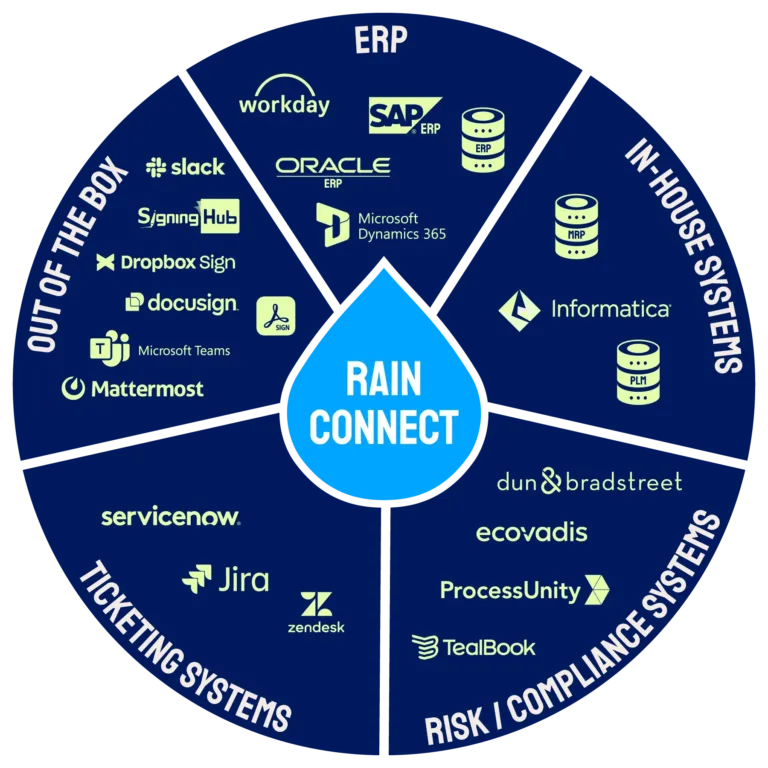
Raindrop’s integration layer, RainConnect, is built into the core platform from day one rather than bolted on afterward.
Raindrop maintains a connection to Sage that keeps invoice coding, approvals, and payment status synchronized, so nobody keeps a side spreadsheet of what the ERP doesn’t show yet. Sage stays the system of record; Raindrop reads from it and writes back to it. Raindrop maintains connections to Sage Intacct, Sage X3, Sage 300, Sage 100 and Sage 50 today.
Underneath, RainConnect runs on Workato, an enterprise-grade integration platform. Sage sits alongside NetSuite, SAP, Oracle, Microsoft Dynamics 365, Microsoft Great Plains, and Workday on Raindrop’s list of maintained ERP connections.
Full integration details, including architecture and connector list.
What stays in sync with Sage
Through RainConnect, built into the platform.
- ◆Invoice coding
- ◆Approvals
- ◆Payment status
Sage remains the system of record. Raindrop reads from it and writes back to it.
How fast Raindrop goes live on Sage
1 week
Fastest go-live for a single module
AP automation on its own, in as little as a week.
8 to 16 weeks
The full source-to-pay suite
End to end, Raindrop’s own stated range.
Built in
RainConnect is part of the core platform
Built in from day one rather than bolted on.
Sage stays the system of record the whole way through.
What AP Automation for Sage Looks Like on Raindrop
Every invoice runs the same loop, whether it starts with a purchase request or lands cold in an inbox.
Intake and capture
A purchase request comes in through Raindrop, gets routed and approved, and becomes a purchase order. Or an invoice arrives with no PO behind it: a utility bill, a subscription renewal, a one-off vendor charge. Either path feeds the same AP process.
Raindrop’s AI reads whatever format the invoice arrives in, whether that’s a PDF, a portal upload, an EDI feed, or a photo of a paper receipt. There’s no OCR template to configure.
Matching and fraud checks
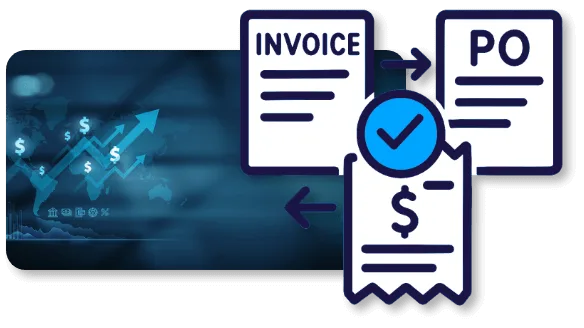
For PO-backed invoices, automated 2-way and 3-way matching reconciles the invoice against the PO and the receipt without someone cross-referencing systems by hand. For non-PO invoices, machine learning auto-codes them using historical patterns and your GL rules.
Before anything gets approved for payment, Raindrop flags duplicate invoice numbers, suspicious payment patterns, and mismatched supplier data. That check happens before the money moves.
Approval routing and payment
Invoices route through your approval rules. Once approved, payment runs through RainPay, and the coding, approval, and payment status sync back to Sage so the ledger matches what actually happened.
Raindrop’s AP Automation module documents this in more depth, including how a JD Edwards-based global manufacturer (Cordis) used it to cut AP cycle time by 76% (about 30 business days down to about 7) and reach 56% touchless processing across three regions. See the AP Automation module for the full picture.
Native, Point Tool, or Suite? The Honest Answer for Sage Shops
When an AP-only tool is enough
If your Sage AP problem is genuinely just AP (invoices are slow, matching is manual, approvals chase people over email), start with what Sage includes, then a purpose-built AP tool from the Marketplace if you need more on approvals or payments. Adding a suite is more than that problem needs.
When a suite pays off
The calculation changes when AP is one symptom of a bigger pattern: purchase requests living in email and spreadsheets, sourcing decisions made without contract terms in view, supplier data duplicated across tools that don’t talk to each other. An AP tool fixes the loudest problem and leaves the rest in place. Raindrop covers intake and orchestration, sourcing, contract lifecycle management, procurement, AP automation, RainPay, and e-invoicing on one connection to Sage instead of several.
Here’s the honest trade-off. A suite is a bigger decision and a slightly bigger first scope than turning on a module. What it buys you is one integration to maintain, one data model instead of copies drifting apart, and a platform that can take on procurement or contract work later without a second vendor evaluation.
Built for the Four Rooms That Have to Agree
A Sage AP automation decision rarely gets made by one person. Here’s what each side of the table checks.

Controller / CFO
You need the numbers in Sage to be right as well as fast. Coding, approvals, and payment status sync back to Sage, so close isn’t waiting on a reconciliation between two systems. Fraud checks run before payment. In a multi-entity Intacct company, check how a tool handles shared vendors and entity-level bank accounts before you sign.

CPO / Procurement Operations Manager
Paying invoices faster is only part of the job. Requests, approvals, and supplier data often live outside Sage entirely. Raindrop puts intake, sourcing, and supplier data on the same platform as AP, so a purchase decision and the invoice it produces stay connected.

CIO / CTO
RainConnect is a native part of Raindrop, running on Workato, with role-based access controls, secure API communication, and full audit trails. The platform runs on Google Cloud infrastructure. Sage stays the system of record.

Legal / Compliance
Every action, from invoice approval to payment release, leaves an audit trail. Fraud detection runs before payment, which matters for your control environment.
Why Analysts and Buyers Rate Raindrop
Raindrop is named a Sample Vendor in the 2026 Gartner Hype Cycle for Procurement and Sourcing Solutions, and has been recognized in Gartner Hype Cycles for five consecutive years. See the recognition.
On Gartner Peer Insights, Raindrop is rated 4.3 out of 5 from 23 ratings in the Source-to-Pay Suites market. Read the reviews on Gartner Peer Insights.
Both reflect the platform buyers evaluate regardless of which ERP sits underneath it. For a Sage shop building a shortlist, that’s third-party evidence next to whatever an AP-only vendor can show you.
The Hackett Group, 2026 Customer Value: AP Automation/Invoice-to-Pay and Source-to-Pay
Frequently Asked Questions
Yes. Sage Intacct's AP Automation drafts bills from invoices you email or upload, flags duplicates, and pays by check, ACH, or virtual card; PO matching may depend on your contract. Sage's help says to contact your account manager about enabling it, and it runs only in production environments.
No. That listing is developed by Quadient (Accounts Payable by Beanworks) and names Sage 50, Sage 100cloud, and Sage 300cloud. It's separate from the AP Automation built into Sage Intacct.
The Sage Intacct Marketplace's Accounts Payable Automation category lists Stampli, Tipalti, BILL, Ramp, Rillion, AvidXchange, and Routable, among others. Sage notes it doesn't endorse or warrant third-party listings, so check each vendor's own integration documentation for what syncs and in which direction.
Through RainConnect, Raindrop's built-in integration layer running on Workato. It keeps invoice coding, approvals, and payment status synchronized with Sage, and Sage stays the system of record. Raindrop maintains connections to Sage Intacct, Sage X3, Sage 300, Sage 100 and Sage 50 today.
A single module, including AP automation, can go live in as little as one week. The full source-to-pay suite typically takes 8 to 16 weeks.
Yes. Machine learning auto-codes non-PO invoices, such as subscriptions, services, and one-off purchases, using historical coding patterns and your GL rules instead of routing them to someone's inbox to guess at.
Three things. Vendors created at the top level are shared by every entity, so confirm the tool respects shared and entity-restricted vendors. AP approvals are configured once at the top level. And a bill created at the entity level can't be paid from another entity's private bank account, so test payments across entities in the demo.
Raindrop fits organizations where Sage is the financial system of record and procurement, sourcing, or supplier management still run outside it. If AP is the only problem, Sage's own AP Automation or an AP tool may be enough, and that's a fine answer.
See How Raindrop Connects to Your Sage Setup
The fastest way to evaluate this is against your own Sage setup. Request a session and we’ll walk through how AP automation and procurement connect to it.
Keep reading
- ◆Raindrop Integrates Anywhere: the RainConnect architecture and the full ERP connector list.
- ◆AP Automation and Procurement for NetSuite: the same approach for NetSuite shops.
- ◆Tipalti Alternatives and Competitors: seven AP and payments platforms compared on scope, pricing, and payments.
- ◆AP Automation module: the complete capability set, including the JD Edwards case study referenced above.
- ◆RainPay: how payments run once an invoice is approved.