
NetSuite AP automation
Procurement and AP automation, in sync with NetSuite
A single module live in as little as a week. The full source-to-pay suite in 2 to 3 months.
Raindrop syncs bidirectionally with NetSuite for POs, receipts, invoices, and vendor records, so procurement and AP decisions stay current against your system of record instead of drifting behind it.
Raindrop Systems connects to NetSuite as a full source-to-pay suite. If all you need is invoice capture, a point tool might be the right call. If NetSuite is the finance system of record for a company also running procurement, sourcing, and supplier management out of spreadsheets, a suite closes that gap in one integration instead of five.
If you run NetSuite and you’re searching for AP automation, you’ve probably already found Tipalti, Stampli, or Zone & Co. All three are listed on NetSuite’s SuiteApp marketplace and handle invoice processing. None of them touch sourcing, intake, or contract terms, which means your procurement team is still working in a different system than your finance team, and neither has the full picture. Raindrop Systems connects to NetSuite the same way those tools do (bidirectionally, in real time where it matters), but covers the process from purchase request through payment.
How Raindrop Connects to NetSuite
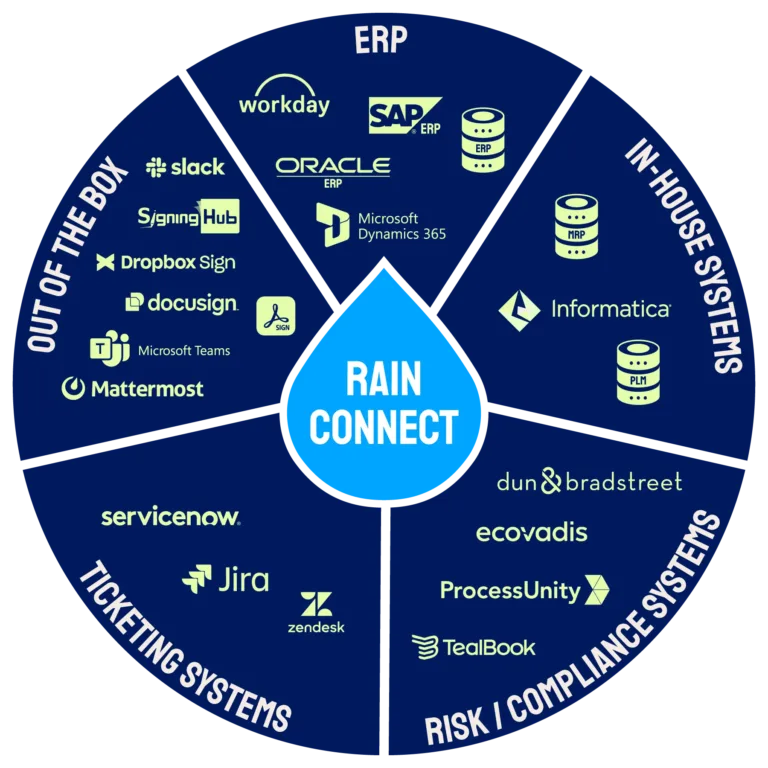
Raindrop’s integration layer, RainConnect, is built into the platform from day one. It ships with the platform and is live from the first day of implementation, so there is no middleware project for your IT team to stand up first.
For NetSuite specifically, RainConnect provides bidirectional sync for purchase orders, receipts, invoices, and vendor records. That two-way sync is what keeps AP automation and procurement decisions current against NetSuite as the system of record, instead of Raindrop working off a stale export or a nightly batch job. Approvals, invoice status, supplier updates, and deactivations run in real time; other data moves in batch mode where real-time sync isn’t the point.
Underneath, RainConnect runs on Workato, an enterprise-grade integration platform, which is why the connector is maintained as part of the platform rather than by your team. Raindrop’s connector architecture is built to reach beyond a fixed list of ERPs, and NetSuite is one of the systems with a purpose-built connection, alongside SAP (S/4HANA, ECC, Ariba), Oracle (ERP, Fusion, JD Edwards), Microsoft Dynamics 365, Microsoft Great Plains, Workday, and Sage.
Full integration details, including architecture and connector list.
What syncs with NetSuite
Through RainConnect, built into the platform.
Two-way sync
- ◆Purchase orders
- ◆Receipts
- ◆Invoices
- ◆Vendor records
Real time
- ◆Approvals
- ◆Invoice status
- ◆Supplier updates and deactivations
Batch
- ◆Other data, where real-time sync isn’t the point
What AP Automation for NetSuite Actually Looks Like
A NetSuite AP automation workflow on Raindrop runs the same loop every invoice takes, whether it starts with a purchase request or lands cold in an inbox.
Intake and capture
A purchase request comes in through Raindrop’s intake and orchestration layer, gets routed and approved, and generates a PO that syncs to NetSuite. Or an invoice arrives with no PO behind it: a utility bill, a subscription renewal, a one-off vendor charge. Either path feeds the same AP process.
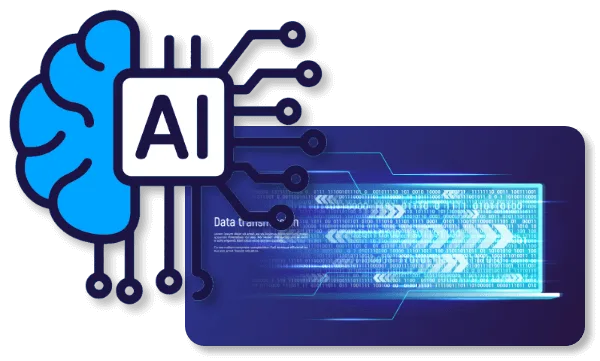
This is where NetSuite invoice automation actually starts: Raindrop’s AI reads whatever format the invoice arrives in, whether that’s a PDF, a portal upload, an EDI feed, or even a photo of a paper receipt. There’s no OCR template to configure and no supplier-specific setup before an invoice can be processed.
Matching and fraud checks
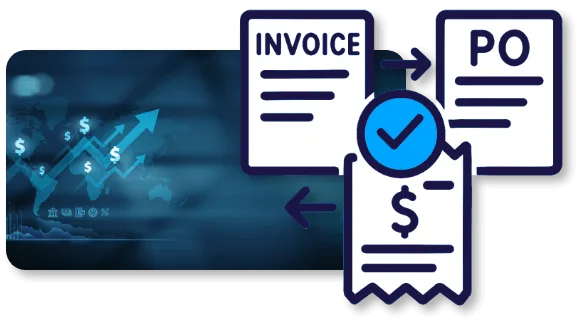
For PO-backed invoices, automated 2-way and 3-way matching reconciles the invoice against the PO and the receipt in NetSuite without someone cross-referencing three systems by hand. For non-PO invoices, machine learning auto-codes them using historical patterns and your GL rules.
Before anything gets approved for payment, Raindrop flags duplicate invoice numbers, suspicious payment patterns, and mismatched supplier data. That check happens before the money moves.
Approval routing and payment
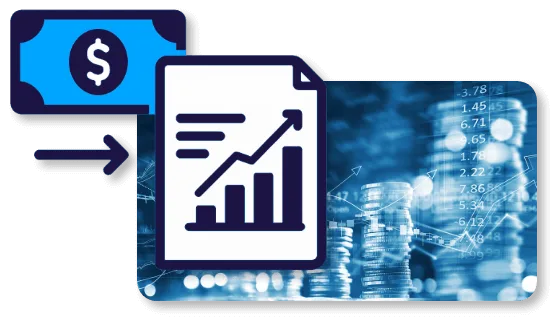
Invoices route through your existing approval rules. Once approved, payment runs through RainPay or through your existing payment process, and the invoice and payment status sync back to NetSuite so your GL never falls out of step with what actually happened.
Raindrop’s AP Automation module documents this in more depth, including how a JD Edwards-based global manufacturer (Cordis) used it to cut AP cycle time by 76% (about 30 days down to about 7) and reach 56% touchless processing across three regions. See the AP Automation module for the full picture.
A Point Tool or a Suite? The Honest Answer for NetSuite Shops
When an AP-only tool is enough
If your NetSuite AP problem is genuinely just AP (invoices are slow, matching is manual, approvals are chasing people over Slack, and that’s the whole list), a purpose-built AP tool like Tipalti, Stampli, or Zone & Co is a reasonable, fast answer. They’re good at what they do, and if procurement, sourcing, and contract management aren’t part of the project, adding a suite is more than you need.
When a suite pays off
The calculation changes when AP is one symptom of a bigger pattern: procurement requests still living in email and spreadsheets, sourcing decisions made without contract terms in view, supplier data duplicated across three tools that don’t talk to each other. In that case, a point tool solves the loudest problem and leaves the rest in place, which means you’re still going to buy and integrate a second system eventually. Raindrop covers intake and orchestration, sourcing, contract lifecycle management, procurement, AP automation, RainPay, and e-invoicing on one connection to NetSuite instead of five separate ones.
Here’s the honest trade-off. A suite is a bigger decision to make and a slightly bigger initial scope to configure than a single AP module. What it buys you is one integration to maintain, one data model instead of three copies drifting out of sync, and a platform that can absorb procurement or contract management work later without a second vendor evaluation.
Implementation Timeline
A single Raindrop module, including AP automation on its own, can go live in as little as one week. The full source-to-pay suite typically takes 2 to 3 months (8 to 16 weeks) end to end. That is Raindrop’s own stated range.
For comparison, a traditional ERP-adjacent procurement or AP implementation commonly runs 8 to 12 months, according to competitor-published material. The difference is RainConnect. It is part of the platform rather than a separately scoped middleware project, so connecting to NetSuite happens inside the same timeline instead of adding a second one.
As little as 1 week
A single module, including AP automation on its own.
2 to 3 months
The full source-to-pay suite, 8 to 16 weeks end to end.
8 to 12 months
A traditional ERP-adjacent procurement or AP implementation, per competitor-published material.
What actually happens in that timeline: connecting RainConnect to your NetSuite instance, mapping the fields and workflows you already use (not rebuilding them), configuring approval rules and matching logic, and a validation period before cutover.
Built for the Four Rooms That Have to Agree
A NetSuite AP automation decision rarely gets made by one person. Here’s what each side of the table is actually checking.

Controller / CFO
You need the numbers in NetSuite to be right as well as fast. Raindrop’s bidirectional sync means invoice and payment status reflect back to NetSuite in real time, so your close process isn’t waiting on a manual reconciliation between two systems. Fraud checks run before payment.

CPO / Procurement Operations Manager
Paying invoices faster is only part of the job. NetSuite procurement work often means requests, approvals, and supplier data still living outside NetSuite entirely. Raindrop puts intake, sourcing, and supplier data on the same platform as AP, so a purchase decision and the invoice it eventually produces are connected instead of living in separate tools with separate owners.
CIO / CTO
RainConnect is a native part of Raindrop, running on Workato, with role-based access controls, secure API communication, and full audit trails. The platform runs on Google Cloud infrastructure. Your NetSuite instance stays the system of record and Raindrop runs alongside it.
Legal / Compliance
Every action, from invoice approval to payment release, generates an audit trail. Fraud detection runs pre-payment, which matters for your control environment.
Why Analysts and Buyers Rate Raindrop
Raindrop has been recognized in the Gartner Hype Cycle for Procurement and Sourcing Solutions as a Sample Vendor for the fifth consecutive year. See the recognition.
On Gartner Peer Insights, Raindrop holds a 4.5 out of 5 rating from 22 verified reviews in the Source-to-Pay Suites market. Read the reviews on Gartner Peer Insights.
Both numbers reflect the platform buyers evaluate regardless of which ERP sits underneath it. Spend Matters also published an independent two-part vendor analysis of Raindrop’s source-to-pay suite in July 2025. For a NetSuite shop building a shortlist, that’s third-party evidence sitting next to whatever an AP-only vendor can show you.

The Hackett Group, 2026 Customer Value: AP Automation/Invoice-to-Pay and Source-to-Pay
Frequently Asked Questions
Raindrop works alongside NetSuite. NetSuite stays your system of record for the general ledger and financials; Raindrop handles procurement, sourcing, contracts, and AP automation, syncing data back to NetSuite in real time or batch depending on the workflow.
Both, depending on the workflow. Approvals, invoice status, supplier updates, and deactivations sync bi-directionally in real time. Other data moves in batch mode where real-time sync isn't necessary. Purchase orders, receipts, invoices, and vendor records are all part of the bidirectional sync.
A single module, including AP automation, can go live in as little as a week. A full source-to-pay deployment connecting NetSuite across procurement, sourcing, contracts, AP, and payments typically takes 2 to 3 months (8 to 16 weeks).
A point tool automates invoice processing and connects to NetSuite for that one function. A suite like Raindrop covers intake, sourcing, contract lifecycle management, procurement, AP automation, and payments on the same NetSuite connection. If AP is your only pain point, a point tool is a legitimate answer. If procurement and sourcing are also running on manual process, a suite avoids buying and integrating a second system later.
Yes. Raindrop's AP automation uses machine learning to auto-code non-PO invoices based on historical patterns and your GL rules, without a human manually assigning codes to every invoice that doesn't have a purchase order behind it.
Connecting RainConnect to your NetSuite instance, mapping your existing fields and approval workflows rather than rebuilding them, configuring matching and approval logic, and a validation period before cutover. A single module can be live in as little as a week; the full suite in 2 to 3 months.
Raindrop is built for organizations where NetSuite is the financial system of record and procurement, sourcing, or supplier management still run outside it. That pattern shows up most often in mid-market and upper-enterprise companies that have outgrown spreadsheet-based procurement but aren't ready for, or don't need, a heavyweight enterprise suite.
Those tools are built specifically for AP automation and do it well if AP is your whole problem. Raindrop covers AP automation plus intake, sourcing, contract lifecycle management, procurement, and payments on one NetSuite connection, with an AI-native platform (Rain) built in rather than automation layered on top of a legacy workflow tool.
You Might Also Find This Useful
- ◆Raindrop Integrates Anywhere: the full RainConnect architecture, connector list, and how the integration layer works underneath every module.
- ◆AP Automation module: the complete capability set, including the JD Edwards case study referenced above.
- ◆RainPay: how payments run once an invoice is approved.
- ◆E-Invoicing: electronic invoice formats and compliance handling.
- ◆Procurement Software Integrations: The Complete Guide: a broader look at ERP integration patterns beyond NetSuite.
- ◆Raindrop Systems vs Coupa: how Raindrop compares to the enterprise suite incumbent.
- ◆Best Coupa Alternatives in 2026: seven source-to-pay platforms compared on deployment speed, ERP fit and trade-offs.
- ◆Fastest Procurement Platforms With ERP Integrations: how integration depth changes time to value across ERPs.
See Raindrop Running on Your NetSuite Instance
The fastest way to evaluate any of this is to see it against your own NetSuite data, not a generic demo environment. Request a session and we’ll walk through what AP automation and procurement look like connected to your instance.